|
|
software & techniques
There are many image editing software applications and suites
available, some free, others you need to purchase. These are my choices
of software, and may not necessarily be your first choice, but they all
have their strong points and some even have weak points. First off, if
you're shooting RAW images - which, if you really are serious about
photography, you should be doing anyway - you need a good RAW
convertor.
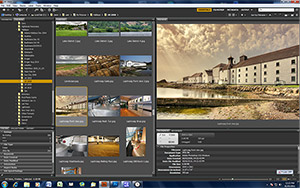
You also need some type of cataloging application, and they sometimes
come with some basic editing utilities. Canon includes ZoomBrowser EX
with most of their SLRs, which is pretty good for most basic needs. I
prefer to use Adobe Bridge, much more powerful and plenty of support
available.
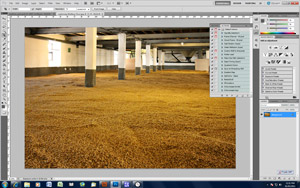
If you intend adding effects, text, and other heavier editing
then you need a more powerful editing application. I use Adobe Photoshop,
the mother of all image creation and editing software. It also integrates
seamlessly with Bridge, and is an extremely powerful tool. The vast
majority of labs and agencies use Photoshop, and there's certainly no
shortage of support.
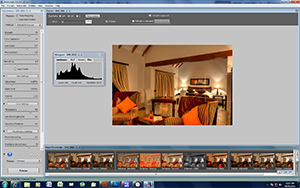
I use Photomatix for the HDR work. Photoshop has its own HDR
utilities, but I've never got used to it and found the results weren't as
good as Photomatix.
A good pc with plent of processing power, at least 4G of RAM and
plenty of storage space is also essential. I use a pc running Windows 7
(for reasons beyond most of my control) but first choice is definitely
Apple when it comes to image editing. I've heard of many users switching
from PC to Apple, never heard of anyone going
vice-versa.
|
This provides the ideal way to catalog images, facilitating
batch renaming and metadata editing, and providing output to PDF
and web galleries. The galleries on this site were compiled with
Bridge. Camera Raw is one of the best RAW file convertors around,
and is very easy to use. The version I'm using at the time of
writing is CS-5.
|
|
|
|
|
If you buy only one digital imaging program, look no further.
It's extremely powerful, but not cheap, so if you're not serious
about image editing it may pay you to look for something a little
less powerful. There's very little Photoshop can't do -
retouching, red-eye removal, filters and effects, 3rd party
plug-ins, history tools, everything you would need to produce top
quality images.
|
|
|
HDR photography increases the dynamic range of an image by
combining a number of identical images taken with different
exposures. Ideally one should take 3-5 RAW images and then combine
them in HDR software to produce one image. I'll often take one RAW
image, then split it into several JPG or TIFF files by adjusting
exposures in the RAW file convertor before saving. Then it's just
a case of importing these images into Photomatix and tweaking the
parameters.
|
|
|
The desired results are best achieved by trial and
error, as some images work really well with HDR, others don't. It
also depends on how natural your final image should appear, some
fine art photographers like the "over-the-top" look,
where colours are over-saturated and the image has a surreal feel.
I prefer subtle use of HDR, sometimes less is more. Take a look at
the images below. They're both the same image, the first one as it
came off the camera. The second is the final result of a few
minutes of editing, tweaking the exposures, and running through
Photomatix.
|
|
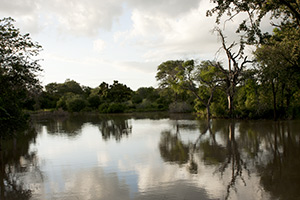
The
RAW file contains much more exposure and colour data than a
compressed image such as a Jpg. In this image taken straight from
the camera the highlights are blown out, the shadows too dark. For
best results 3-5 RAW exposures should have been taken, but then
the ripples moving on the water, as well as the breeze in the
trees, would have degraded the final quality of the image.
|
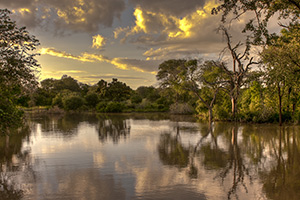
The
image was saved into 5 tiff files of exposures ranging from -2 to
+2, then opened in Photomatix. Once the desired settings were
selected the image was opened in Photoshop for a bit of doging and
burning. A soft warming filter was introduced, the image cropped
and then selectively sharpened. The overall dynamic range is
enhanced, and the image has more punch.
|
|